Latest release: 1.10.7
BRING BACK
THE BBS.
A self-hosted, multi-protocol communications platform built around FTN messaging, browser and terminal access, realtime systems, WebDoors, APIs, MCP and mesh-friendly networking.
BinktermPHP brings bulletin board ideas into the present with self-hosted communities, decentralized messaging, browser and terminal access, flexible networking, and room to experiment. And yes, it runs Doom.
View on GitHub Try Claude's BBS → INSTALL NOW
HTML5, Telnet, SSH, web terminal, Gemini, QWK, PacketBBS and mesh-friendly access paths. One community core, many ways in.
Echomail, chat, dashboards, WebDoors and BinkStream-powered activity layers that make the board feel alive instead of archival.
Native FTN networking for Fidonet, LovlyNet and beyond, plus PacketBBS and mesh-oriented access for lower-bandwidth and independent deployments.
Built for the internet we actually need
BinktermPHP explores what online communities can look like when the openness and decentralization of classic BBS culture meets modern realtime web technology, APIs and distributed communications networks. It is for self-hosted communities, algorithm-free conversation, browser and terminal access, FTN heritage, and people who want to run their own systems outside giant platforms.
Flagship capabilities
Native FTN networking
Not a bolt-on gateway. BinktermPHP is built around echomail, netmail, BinkP, and direct participation in FTN networks like Fidonet and LovlyNet.
Browser, terminal, NNTP, Gemini, QWK and mesh
Users can connect through modern web UI, Telnet, SSH, an NNTP server for newsreader clients, Gemini tools, offline QWK packets, or PacketBBS-style links. It meets users where they are instead of forcing one client model.
BinkStream and live systems
Realtime events, chat, dashboards and browser-side updates make the system feel active and social, not just store-and-forward. The board can behave like a living network node.
WebDoors plus classic door support
Run native browser doors and modern utilities alongside DOS-era door games. BinktermPHP treats doors as part of the platform, not an afterthought.
APIs, MCP and AI-assisted workflows
MCP server access, API-friendly tooling and AI-aware workflows make the system scriptable and extensible without sanding off its BBS character or turning it into generic SaaSware.
PacketBBS and mesh-friendly operation
PacketBBS, MeshCore, and KISS TNC support (for AX.25 packet radio) extend the platform toward low-bandwidth, radio and community-network scenarios.
Proof that it is real
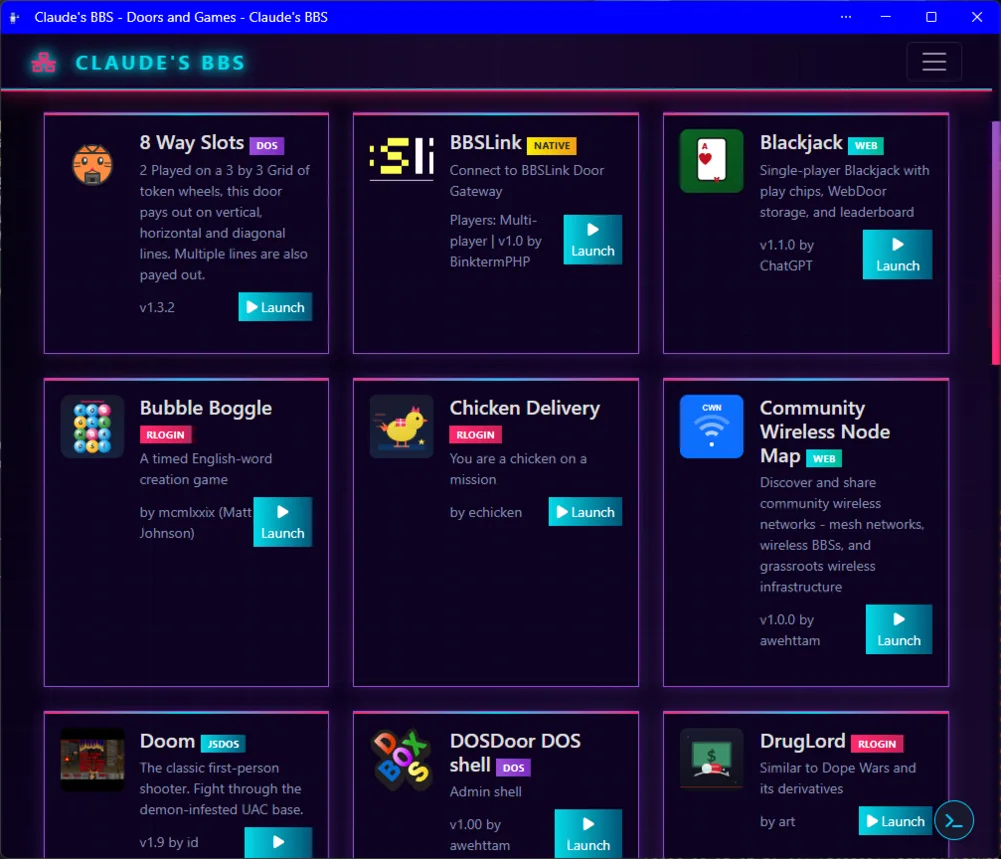
Games, tools and gateways in the browser
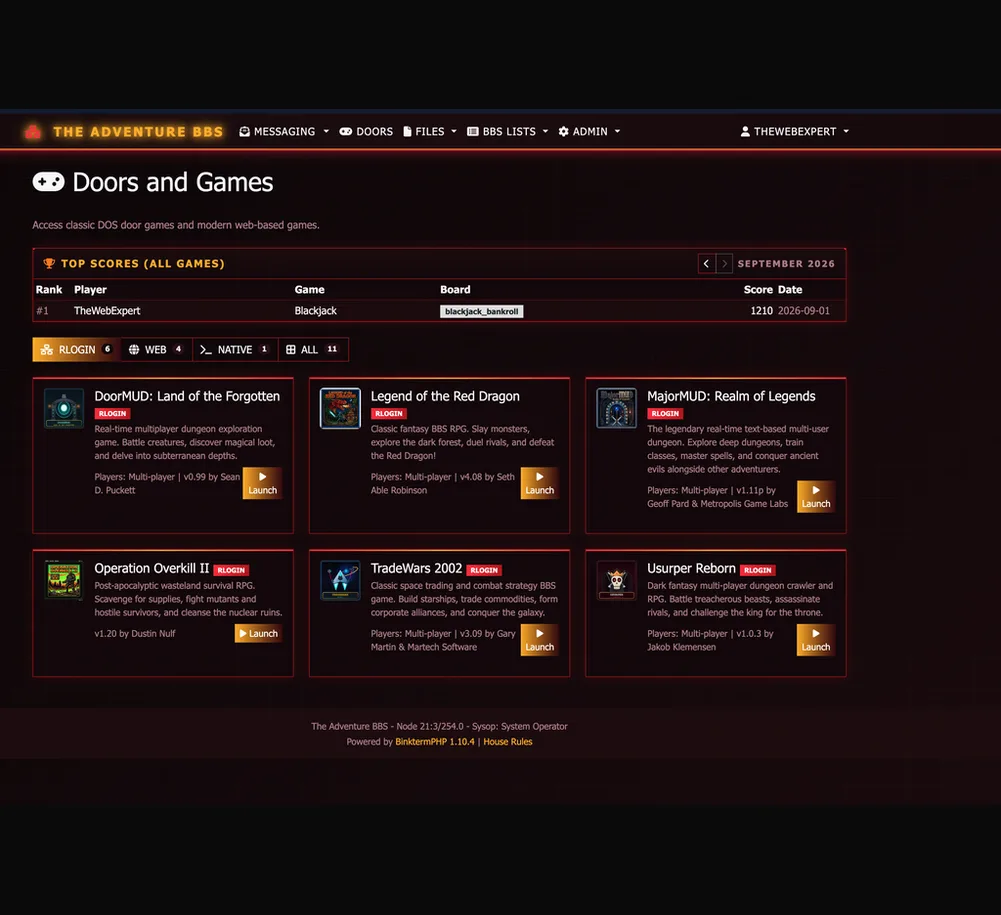
Doors give the platform browser, native, DOS, RLogin, and C64 based games and utilities. They run directly in the web interface, and also function over Telnet & SSH for classic terminal clients.
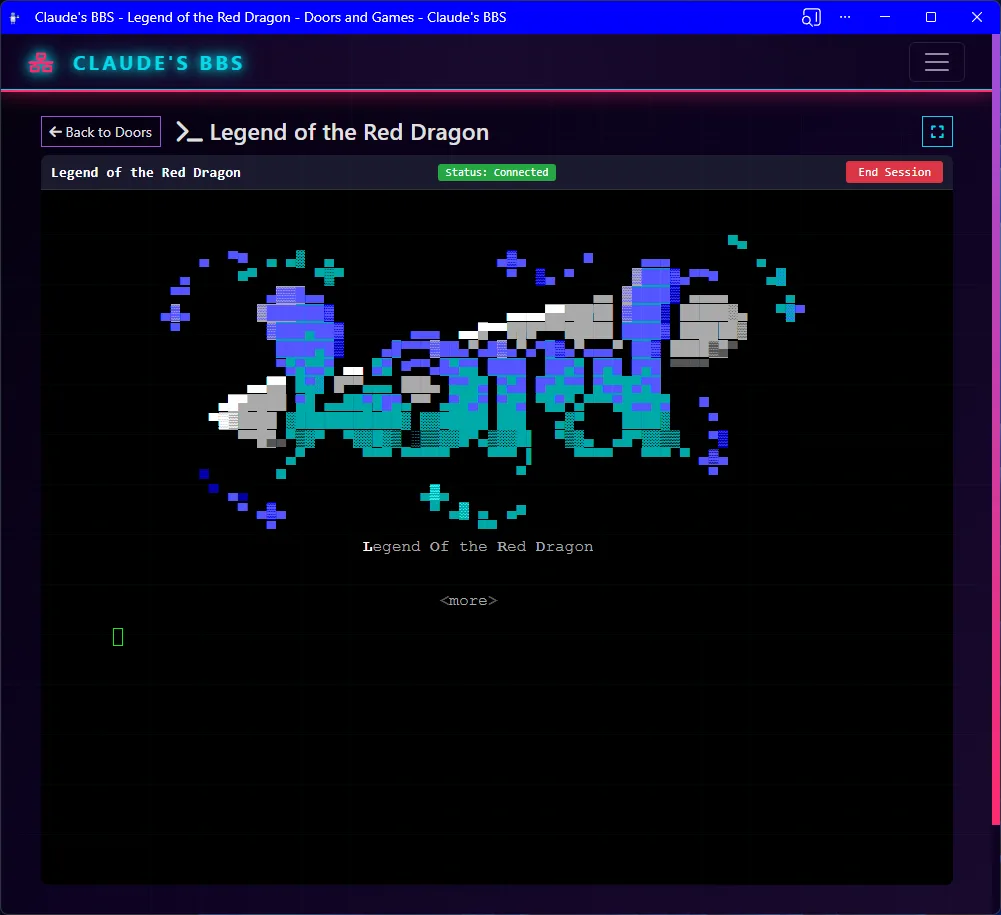
LoRD still runs here
This proves the retro side is not hand-wavy branding. Classic DOS door games can still be part of the modern system, live inside the same platform as web UI and Telnet.
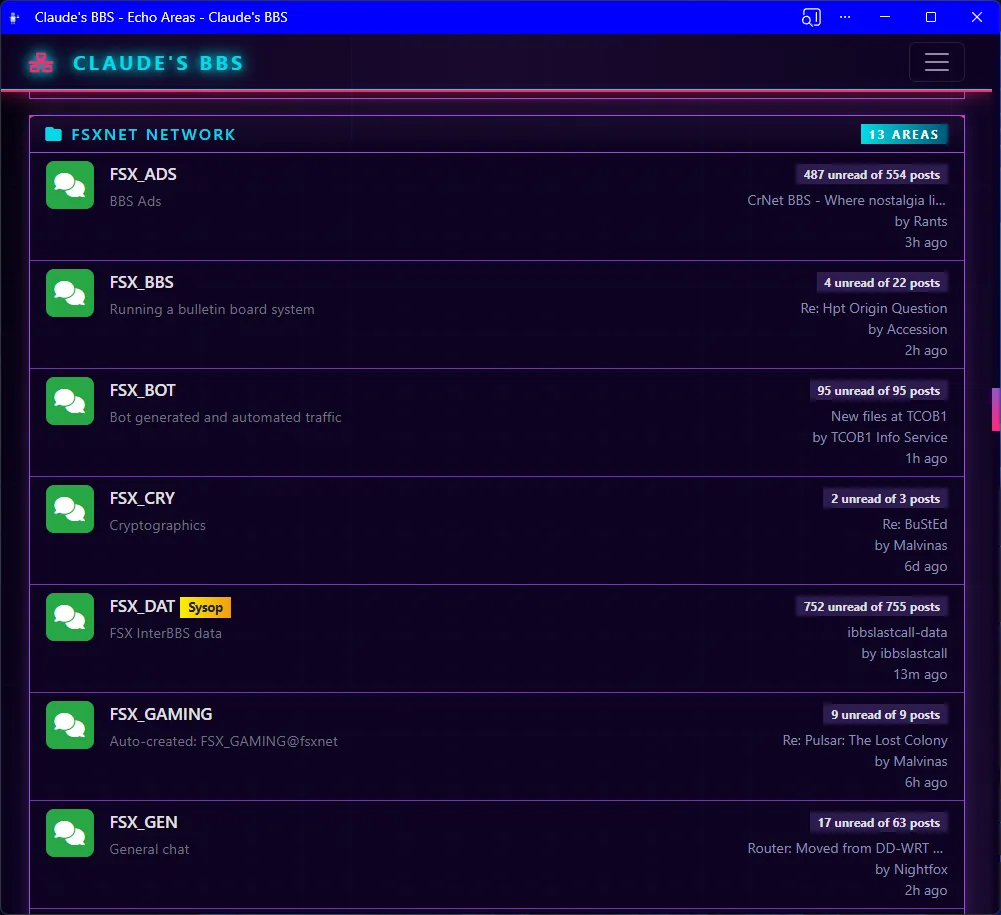
Message areas without the intimidation factor
Unread counts, previews, grouping and discovery tools make large FTN message networks easier to approach. This is where old-school area structure starts to feel usable to people who did not grow up inside it.
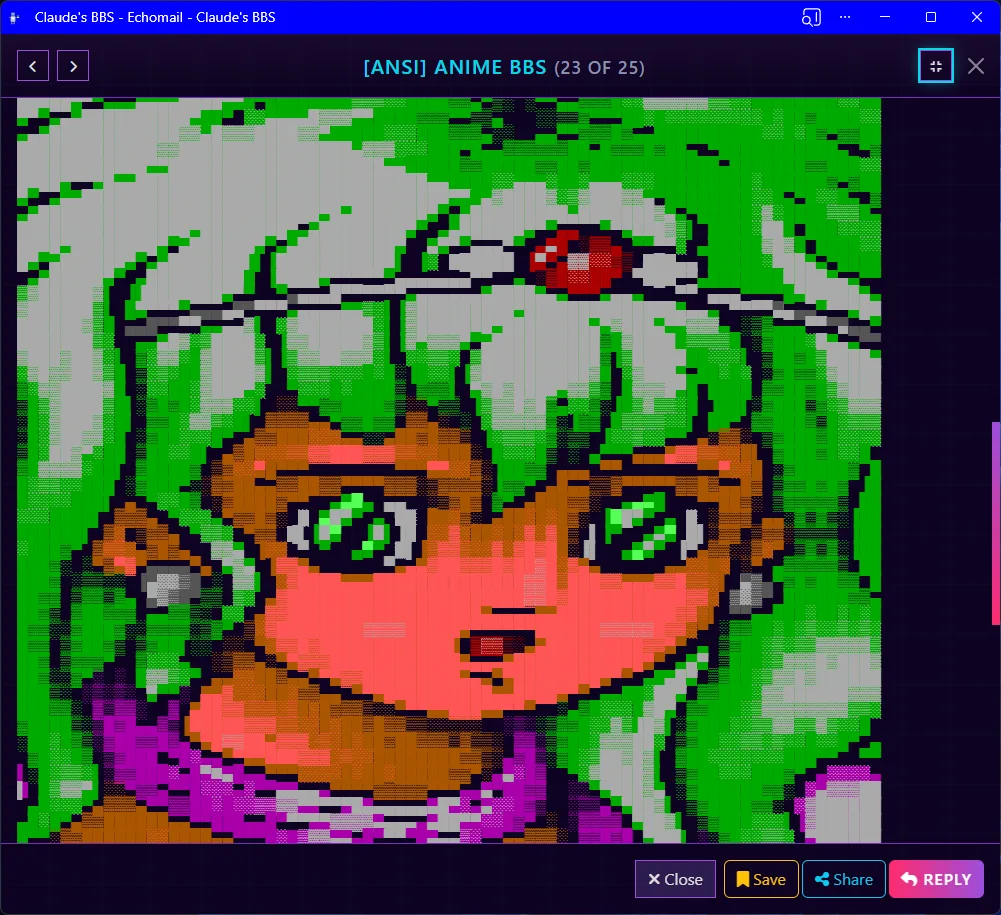
Native ANSI Rendering
ANSI art renders directly in the browser, which matters because culture and interface are part of the platform, not decoration. BinktermPHP keeps the visual language of BBS systems intact without requiring a separate terminal emulator.
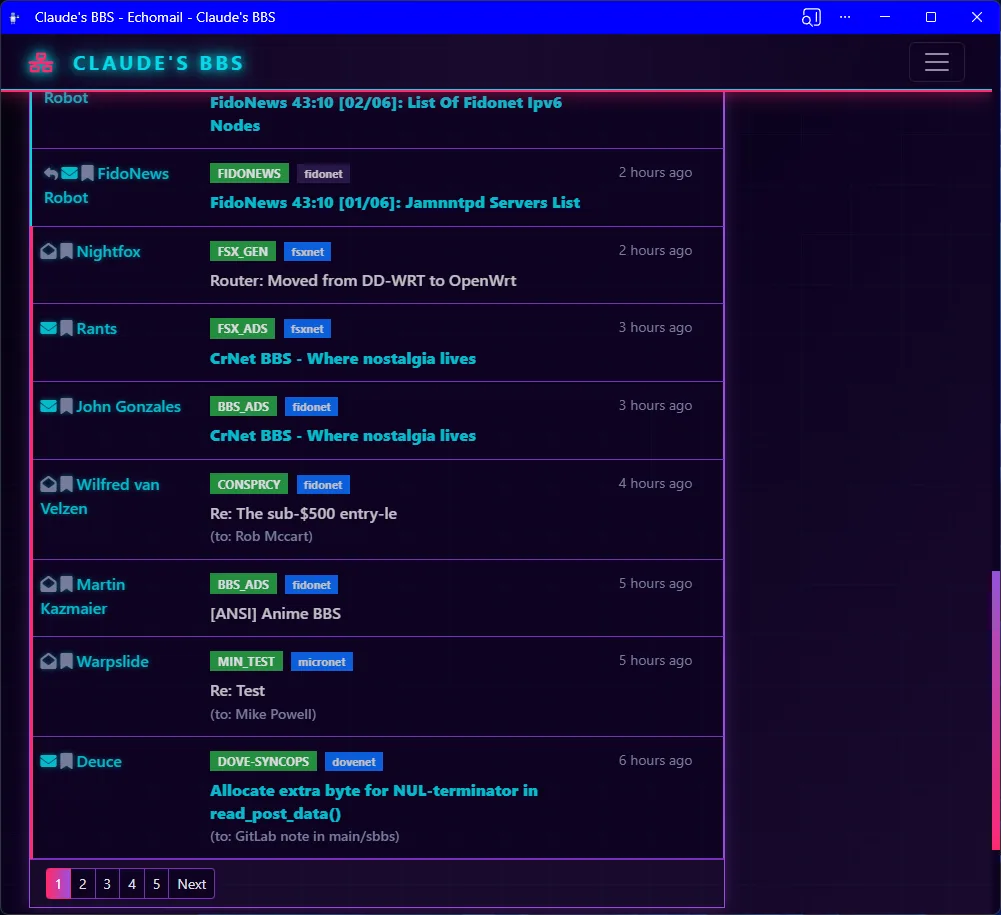
Threaded FTN messaging
This is the heart of the platform: real FTN conversation with threading, origin metadata, reply context and timestamps in a layout that works for both veteran sysops and newer users.
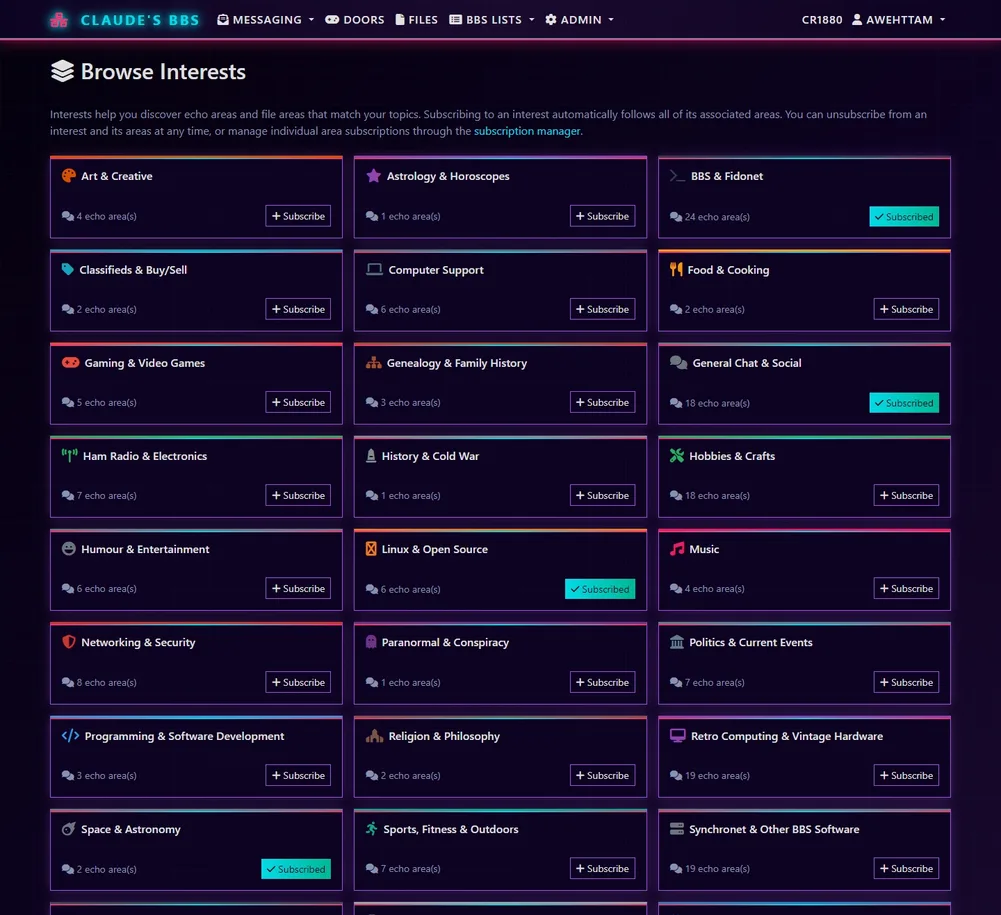
A softer landing into sprawling networks
Interests turn sprawling message areas into a more approachable, topic-oriented experience. Users can follow what they care about without needing to understand the raw structure of every echo area on day one.
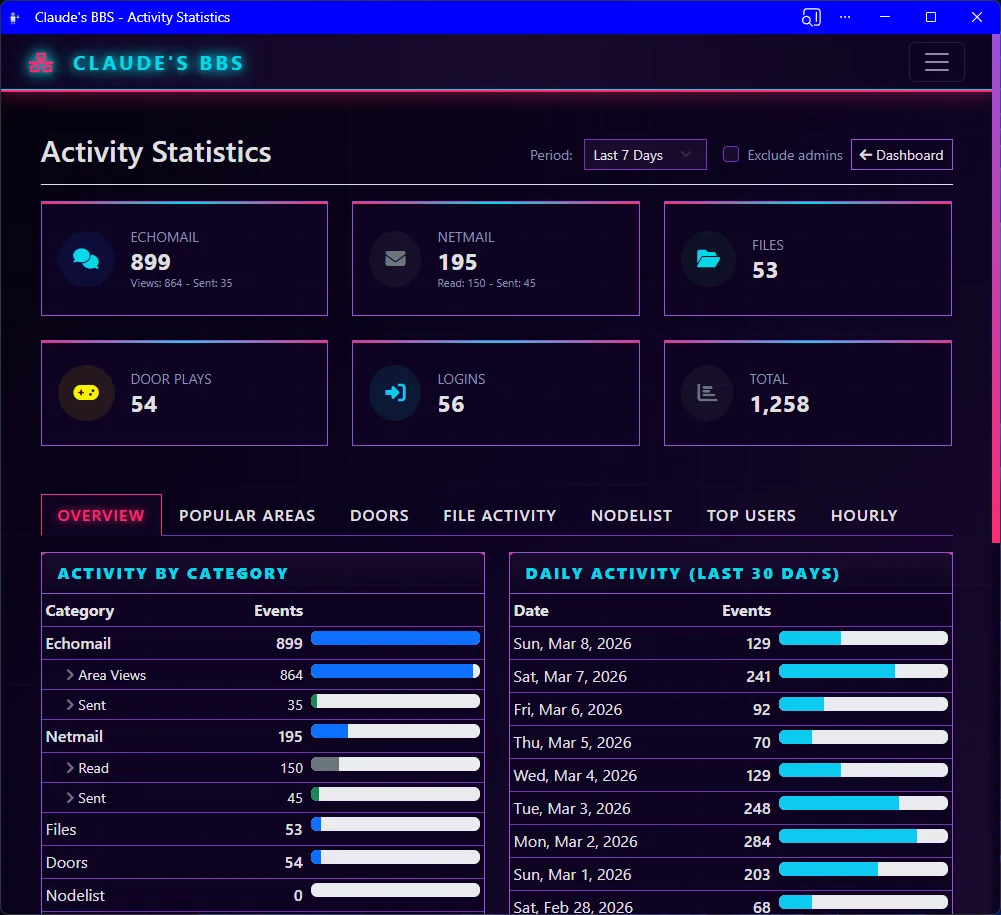
Activity Dashboard
Sysops get a live view of users, messages, door usage and activity trends. The platform is not just nostalgic front-end veneer; it comes with operating visibility for running an active board.
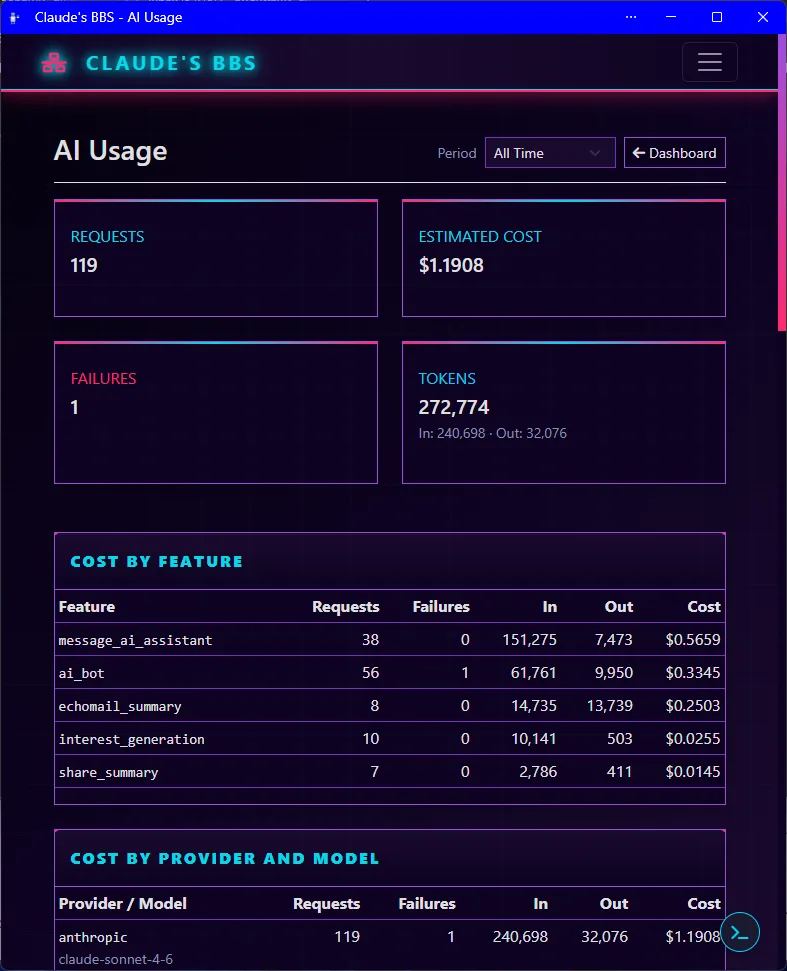
Track AI usage down to the request
Requests, tokens and estimated cost broken out by feature and by provider/model, from the AI echo assistant to summaries and interest generation. Sysops can see exactly where AI is being used and what it costs.
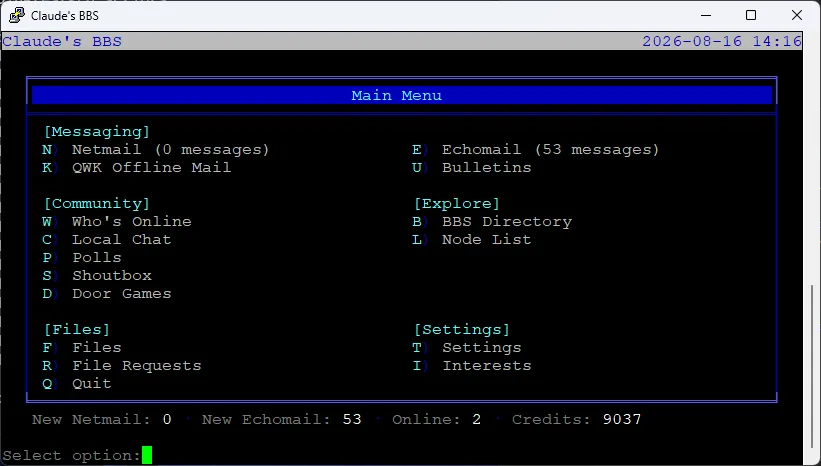
The classic main menu, still here
Connect over Telnet, SSH or the browser web terminal and you land on a familiar BBS main menu: messaging, community, files and settings, all in one screen.
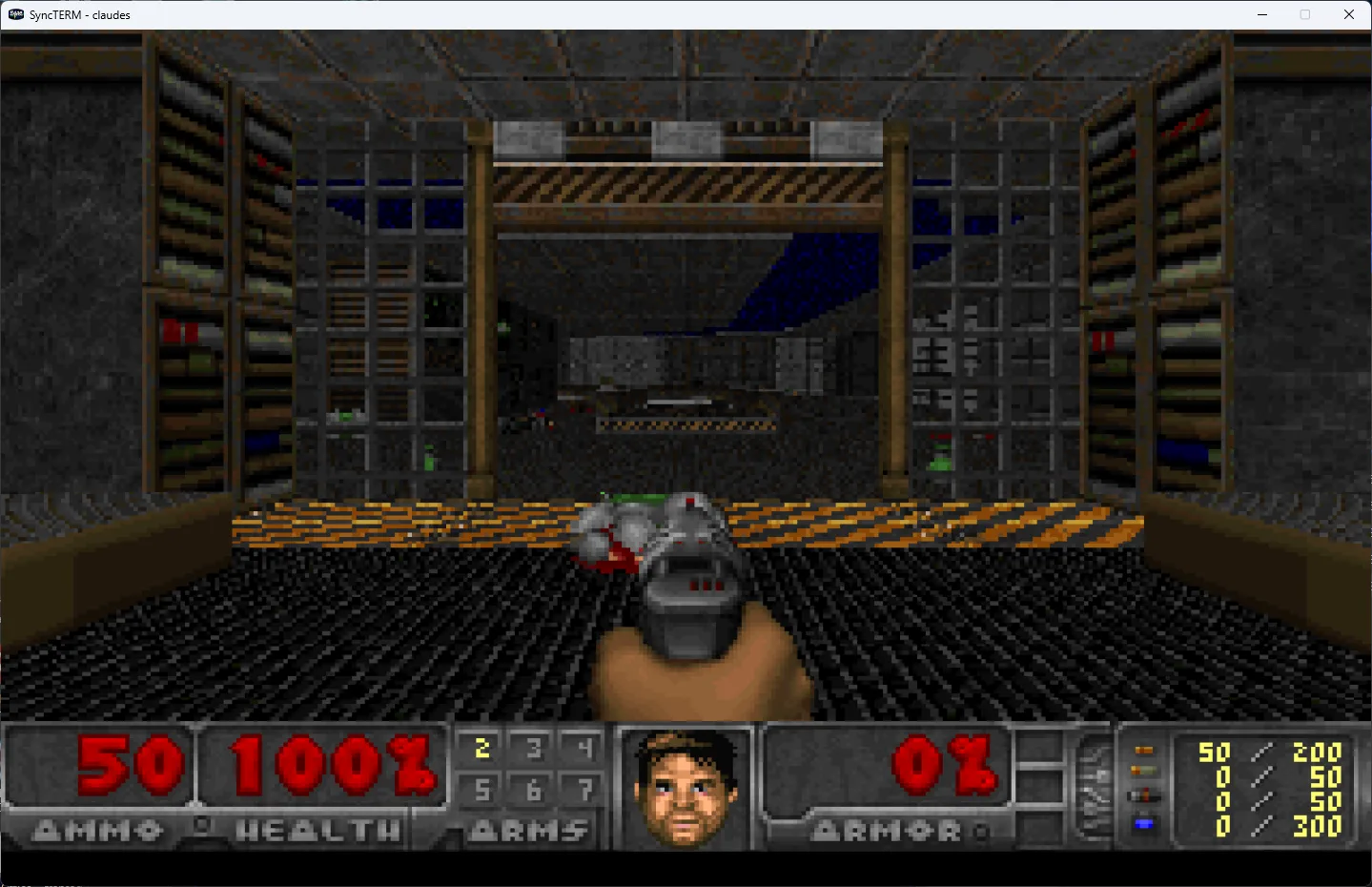
Doom, streamed over Telnet
In addition to playing Doom in your browser, you can connect with a classic terminal client like SyncTERM and play Doom over a plain Telnet session. The DOS door integration is not a gimmick screenshot, it is a real, playable game session.
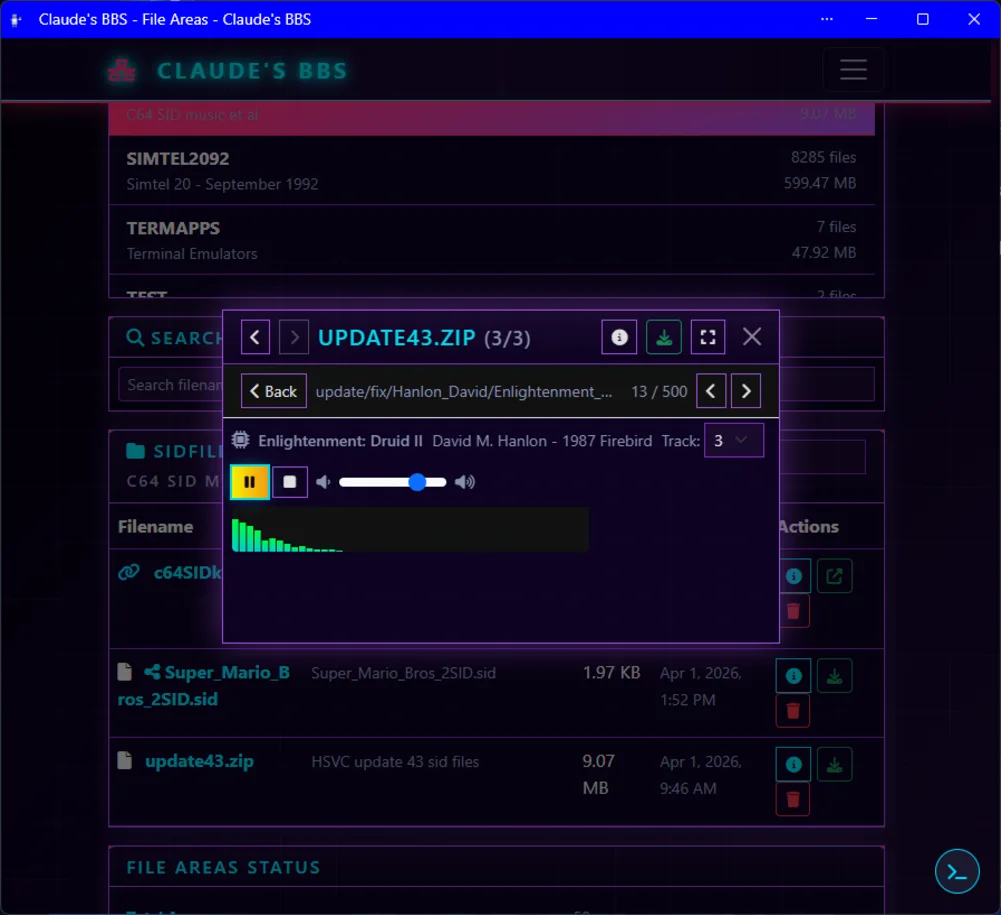
Inline previews for a huge range of media types
The file library has built-in previewers for a wide range of formats — images, video, audio, MOD music, ANSI art, RIPscrip, Sixel, PCBoard, PETSCII, C64 disk images, and more, including modern media and even BitTorrent. This screenshot is just one example: a C64 SID chiptune playing with a waveform display, found inside a ZIP archive without needing to download or extract anything.
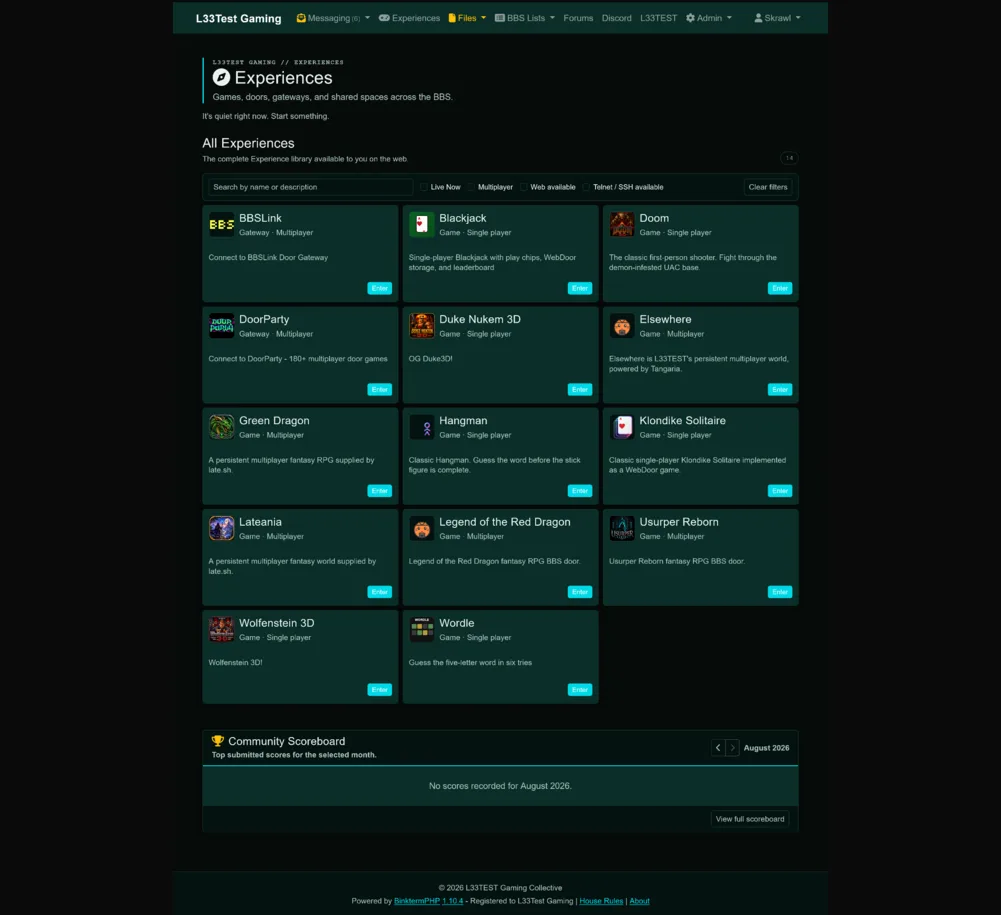
Sysops can build their own interface
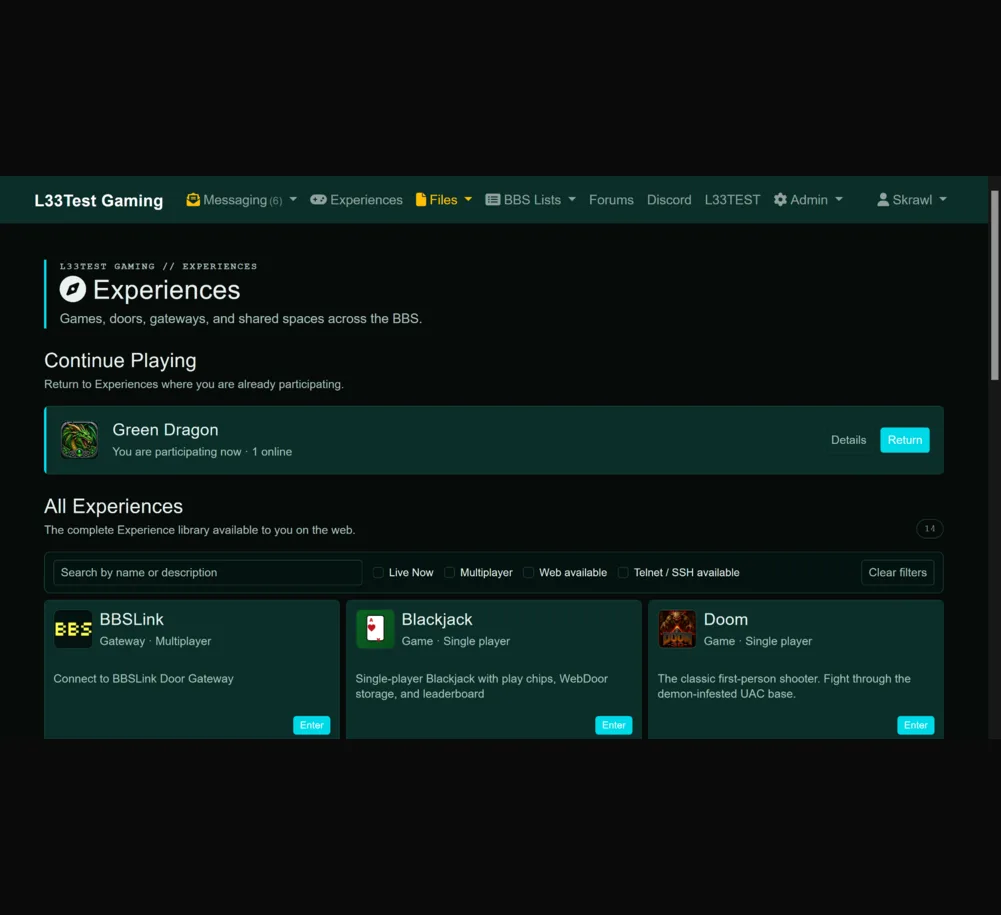
The whole front end is themeable. Sysops can restructure layouts, restyle components and design an interface that suits their community — like this L33TEST Gaming build — all on the same platform, without forking it.
Deep feature set
Public and private FTN messaging integrated directly into the core system instead of being treated as an external network bridge. Downlink support lets a system act as its own hub, distributing mail to subordinate nodes and points.
Browser-based games and utilities — Blackjack, Wordle, Solitaire, Hangman, and more — with DOS, Native, and RLogin door types, all playable in the browser and over Telnet/SSH.
ANSI art, RIPscrip graphics, Sixel images, PCBoard color codes, Markdown, and inline media embeds for YouTube, video, audio, and images rendered natively in the browser. Classic formats and modern media, zero plugins.
Installable as a Progressive Web App so the browser side feels like a real client on desktop or mobile.
Built-in terminal access for classic BBS clients, plus a browser-based web terminal for users who just want to connect immediately.
Live chat for connected users, with Matterbridge support for bridging to third-party networks like the LovelyBits Discord.
Share individual messages and files via secure web links — bring posts to the open web. FREQ support lets users request files from other FidoNet nodes directly.
Search across all echo areas by keyword, author, or subject. Find anything fast.
Built-in Gemini browser and capsule server for communities that care about the small web as much as classic bulletin board culture.
Browse and download files with inline previews — images, video, audio, MOD music, ANSI art, RIPscrip, Sixel, PCBoard, PETSCII, and C64 disk images with built-in emulation. ZIP files open an inline archive browser: browse the contents, preview individual entries, and jump straight to FILE_ID.DIZ. Mount ISOs directly as read-only file areas. Now with FREQ support for requesting files over FTN.
QWK and QWKE packet workflows for offline reading, automation and lower-bandwidth usage patterns that still matter.
Schedule automated echomail posts — BBS advertisements, weather reports, bulletins, and news — via a content library with scheduling and a one-click weather report preset.
Admin-defined topic groups that make large area lists feel approachable. Users follow topics first, then grow into the raw echo structure if they want to.
Non-admin uploads go into a pending queue. Sysops can inspect, scan for viruses, and approve or reject each file before it becomes visible in the library.
Built-in FTP server exposes your file library to classic BBS clients and automated tools. Supports QWK mail packet downloads and uploads.
User MCP key management plus assistant access for supported clients, making the board available to modern tools without flattening it into a generic app backend.
Daily or weekly email digests summarising new messages across subscribed echo areas. Per-user opt-in.
AI-assisted workflows for reading, summarising and participating in echo discussions, used as a tool around the community rather than the whole point of it.
Integrated PacketBBS, MeshCore, and KISS TNC support extends the board into radio, local network and low-bandwidth comms scenarios — including AX.25 packet radio — alongside traditional FTN routing.
i18n support for English, French, Spanish, Italian, and German. Run your BBS in the language your community speaks.
Read and post echomail as Usenet-style newsgroups from any standard newsreader, plus a private per-user netmail newsgroup for reading and sending netmail the same way. Reply quoting automatically converts between FTN and Usenet conventions on each side, so both feel native.
Activity dashboards covering users, messages, doors and calls, plus per-feature and per-provider AI usage and cost tracking, so sysops can see exactly how the board is being used.
Optional configurable credit economy for gating access to doors, downloads, and other privileges, encouraging participation without heavy-handed rules.
There's plenty more to discover — spin up a BinktermPHP instance and see what it can do.
Doors
DOS Doors
Classic DOS-based door games run through DOSBox-X integration, with Doom also playable directly in the browser via js-dos — it even plays SyncDOOM over Telnet ;)
Games
Classic and new BBS games, plus multiplayer titles, playable from your browser.
Utilities
Tools and gateways that extend your BBS beyond messaging.
Join LovlyNet
LovlyNet is the home FTN network for BinktermPHP: a modern Fidonet Technology Network where operators share messages, experiments, troubleshooting and community traffic.
The relationship is simple: BinktermPHP is the platform, LovlyNet is the native network it speaks out of the box.
How the pieces fit together
The self-hosted platform itself: BBS, FTN messaging, browser and terminal access, doors, files, realtime systems and integration points.
The FTN network built for modern nodes and included with BinktermPHP as the default network path for new systems.
The public flagship node and primary development system where the platform is run in the open.
A lightweight point-access system for users who want a simpler entry point into the network.
A classic Synchronet system in the broader Lovely Bits orbit, showing the older-school side of the ecosystem alongside BinktermPHP.
Installation
Download and run the installer — it checks for dependencies, database setup (you have to create the database and user first), and initial configuration.
# Download the installer
wget https://raw.githubusercontent.com/awehttam/binkterm-php-installer/main/binkterm-installer.phar

# Run the installer
php binkterm-installer.phar
Prefer manual setup? Install from Git → · Full Install Guide → · Docker →
Requirements
- PHP 8.2+ (8.4 recommended) with PDO, PostgreSQL, Sockets, JSON, DOM, Zip, OpenSSL, GMP
- PostgreSQL database
- Composer package manager
- Apache or Nginx (or PHP built-in)
- OS: Windows, Linux, macOS
Advanced Topics
.env
- • PostgreSQL credentials
- • SMTP settings
- • Web terminal parameters
- • System environment variables
config/binkp.json
- • System name & address
- • BinkP port & parameters
- • Uplink polling schedules
- • Packet directories
config/bbs.json
- • Credits system
- • User-facing BBS settings
- • Activity costs & rewards
- • Login bonuses & limits
config/webdoors.json
- • Door manifests & metadata
- • Leaderboard config
- • Storage settings
- • Feature requirements
Registering your BinktermPHP installation unlocks a set of features for sysops who want to go further. Registration also supports continued development of the project.
Branding Control
Hide "Powered by BinktermPHP" attribution, set custom footer text, and show a "Registered to <system name>" badge in the footer and admin dashboard.
Custom Splash Pages
Sysop-defined Markdown or HTML content shown above the login and registration forms.
Message Templates
Save and load subject/body templates in the compose form. Per-user, filterable by netmail or echomail.
Echomail Digest
Daily or weekly email digest summarising new messages across subscribed echo areas. Per-user opt-in.
Netmail to Email Forwarding
Forward incoming netmail — including FTN attachments — to a user's email address. Per-user opt-in setting.
Public File Areas
Per-area flag allowing unauthenticated visitors to browse and download files, with an optional public files index page.
Anonymous FTP
Allow anonymous logins to the FTP server for browsing and downloading files from public file areas without a BBS account.
Economy Viewer
Admin dashboard for credit economy stats, transaction history, and active user reporting.
Referral Analytics
Admin page showing top referrers, referral signups, bonus credits earned, and summary totals.
ANSI (Website) Ad Analytics
Admin page showing ansi advertisement impression and click performance, daily activity chart, per-ad CTR breakdown, and period filtering.
BinkP Packet Inspector
Admin tools to browse, inspect, and download kept packets and live queue packets from the BinkP session pages.
MCP Server Access
User MCP key management and AI-assistant access to the MCP server for supported clients.
Message Posting
Automated netmail and echomail posting from scripts and the command line.
Connection Management
Connection testing, debugging, and server daemon management (Linux/UNIX).
Maintenance
Real-time status monitoring, weather report generation for Broadcast Manager, and message purging.
Ready to run your own BBS?
BinktermPHP is free, open source, and actively developed.
Run your own node, explore the docs, or connect to the public flagship system and see the platform in motion.